


GST1176芯片数据提取如何操作?
| GST1176E-28B 45 de 84 93 1x1 |

Layout
IT1181 556_548 Xor 6771_256
Mix
Input
Order 0
Software Bad Bytes
Block 128
Group 1
Block Pair
Block 0x400000
Page 0x4000
Divide
Field Block Number
Value 0x40
Assembler
Block Number
Block Size 0x800000
Bank Space 0x4000
Image Cut 0x7200
Banks 00 / 0x000 / 0x3ff
Actions
Scan
Comments
Serg for forum 10965
SW Bad Bytes is two 5a 5a
Need remove both
| GST1176E-48B 45 de 94 93 1x1 |
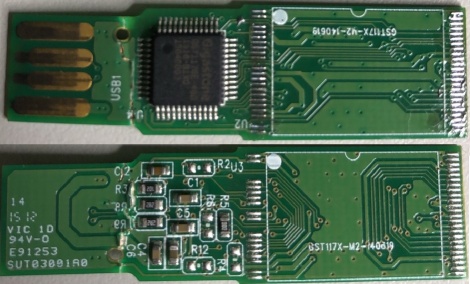
Layout
IT1181 556_548 Xor 6771_256
Mix
Input
Order 0
Software Bad Bytes
Block 256
Group 2
Block Pair
Block 0x400000
Page 0x4000
Divide
Field Block Number
Value 0x40
Assembler
Block Number
Block Size 0x800000
Bank Space 0x4000
Banks 00 / 0x000 / 0x3ff
Actions
Scan
Comments
Serg for forum 10958
| GST1176E-48B 45 de a4 82 2x1 |
Layout
IT1181 556_548 Xor 6771_256
Mix
Input
Order 0/1
Block Pair
Block 0x200000
Page 0x2000
Join by Page
Parts 2
Page 0x400000
Divide
Field Block Number
Value 0x40
Cross Block
Field Block Number
Block 0x400000
Parts 2
Assembler
Block Number
Block Size 0x400000
Bank Space 0x4000
Image Cut 0xe000
Banks 00 / 0x000 / 0xfff
Mix 2 / 0x4000
Actions
Scan
Comments
by Arvika
Need use cut BB manually before use this model
常见问题解答
GST1176E-28B和GST1176E-48B有什么区别?
根据文章内容,GST1176E-28B和GST1176E-48B是两种不同型号的芯片,主要区别在于引脚数(28脚与48脚)以及对应的数据提取配置参数。两者均使用zGFflash extractor工具,采用相同的Layout IT1181和Xor 6771_256Mix算法,但输入顺序、软坏块处理方式可能略有不同,例如28B型号软坏块需移除两个5a 5a字节,而48B型号的具体参数需参考其独立配置。
使用zGFflash extractor提取GST1176芯片数据时,如何处理软坏块?
在GST1176芯片提取过程中,软坏块处理是关键步骤。文章指出,软坏块标记为两个5a 5a字节,需要同时移除这两个字节才能正确提取数据。操作时需设置Software Bad Bytes Block为128,并指定Block Pair等参数,确保扫描时能识别并跳过坏块区域,避免数据读取错误或提取失败。
GST1176芯片提取时如何设置页大小和块大小参数?
根据文章配置,GST1176芯片提取时需设置Page大小为0x4000(即16384字节),Block大小为0x800000(即8MB),Bank Space为0x4000,Image Cut为0x7200,Banks范围从00到0x3ff。这些参数需与芯片实际物理结构匹配,否则可能导致地址映射错误,影响数据完整性。建议参考芯片手册或使用自动检测功能确认参数。